

Identify and remediate public cloud compliance misconfigurations, mitigate security threats and control your expenses from one simple, easy to use platform.


Time: <5 Minutes
What You Need: AdminAccess level privileges to your Atlassian Jira account.
Benefits of This Feature: Take action on Tenacity cloud compliance findings. Streamline your workflows by easily and quickly assigning Tenacity findings to Jira tickets for you team.
Integration Steps:
1. Login to Tenacity
2. Click Company Settings and select Integrations

3. Select Jira tile and click "Connect" button

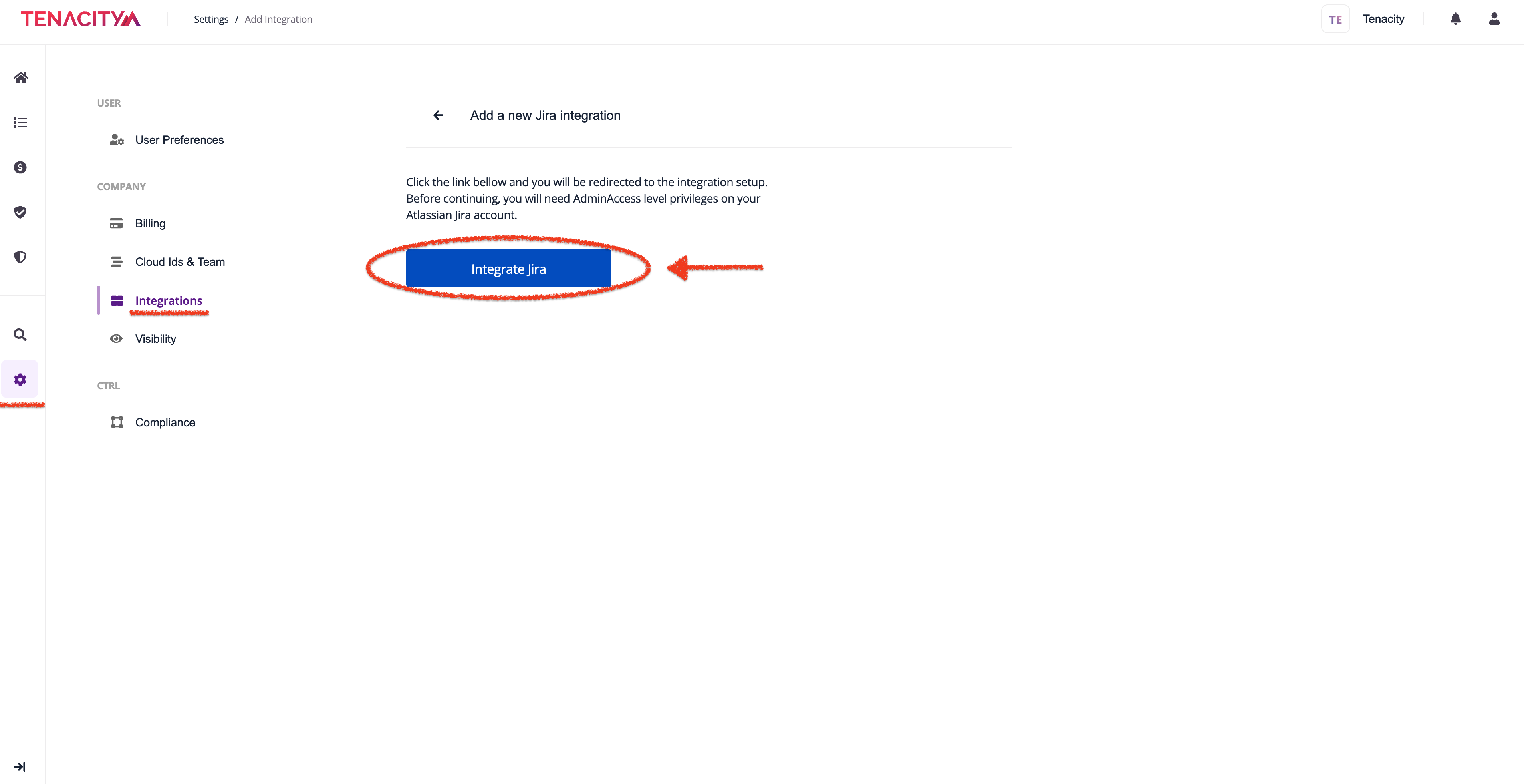
6. Click Integrate Jira
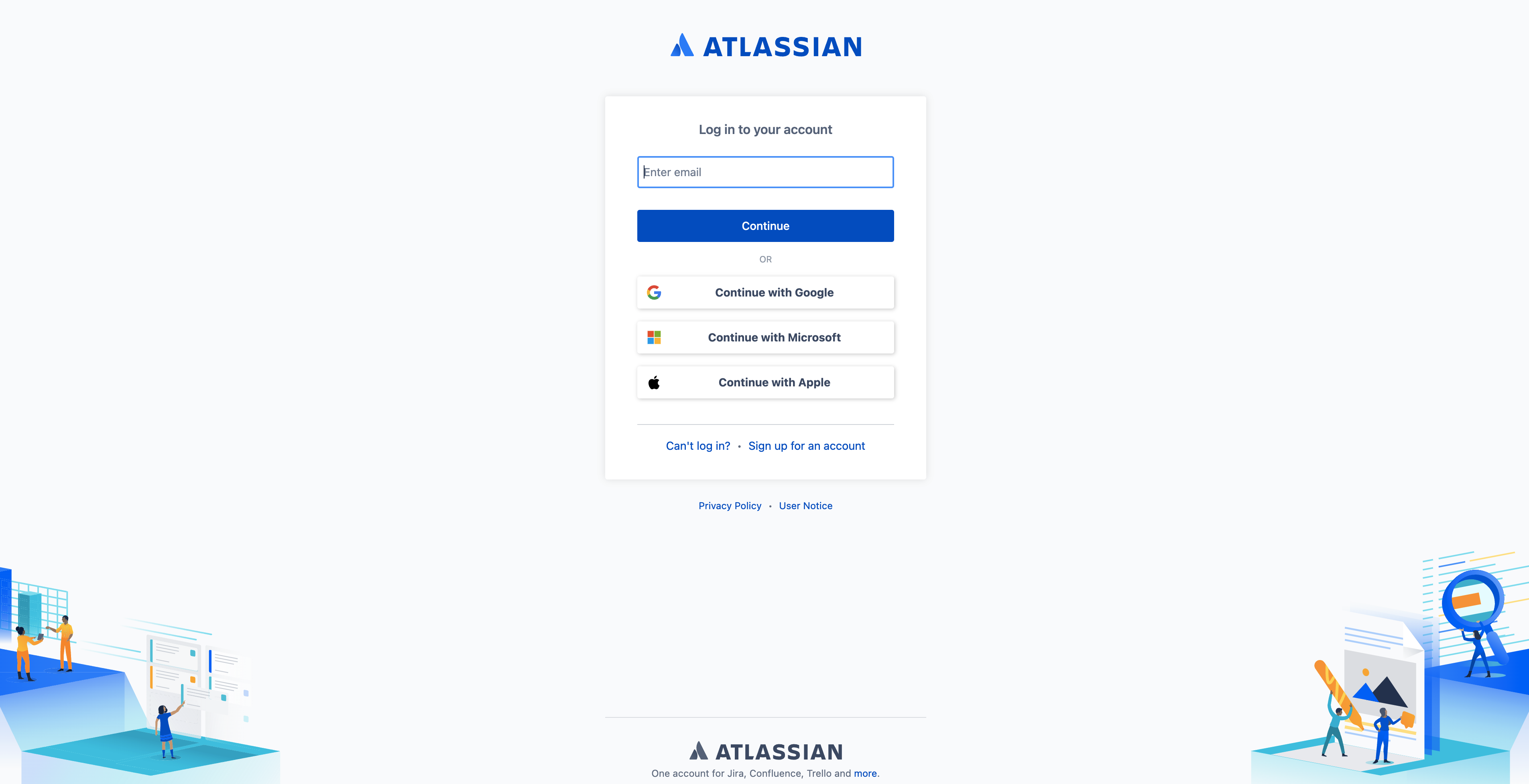
7. Login to Your Jira Account (Set With AdminAccess Level Privileges)
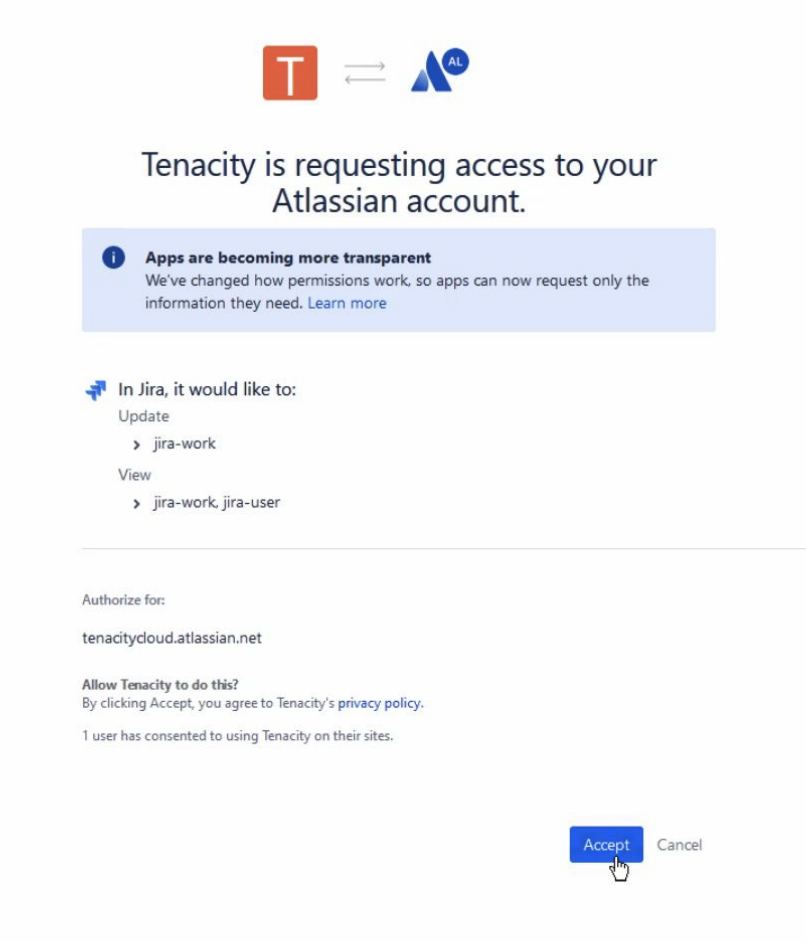
8. Select Desired Project and View
9. All Enabled Jira Integrations can be found in Settings are under Integrations

Create a Jira Ticket:
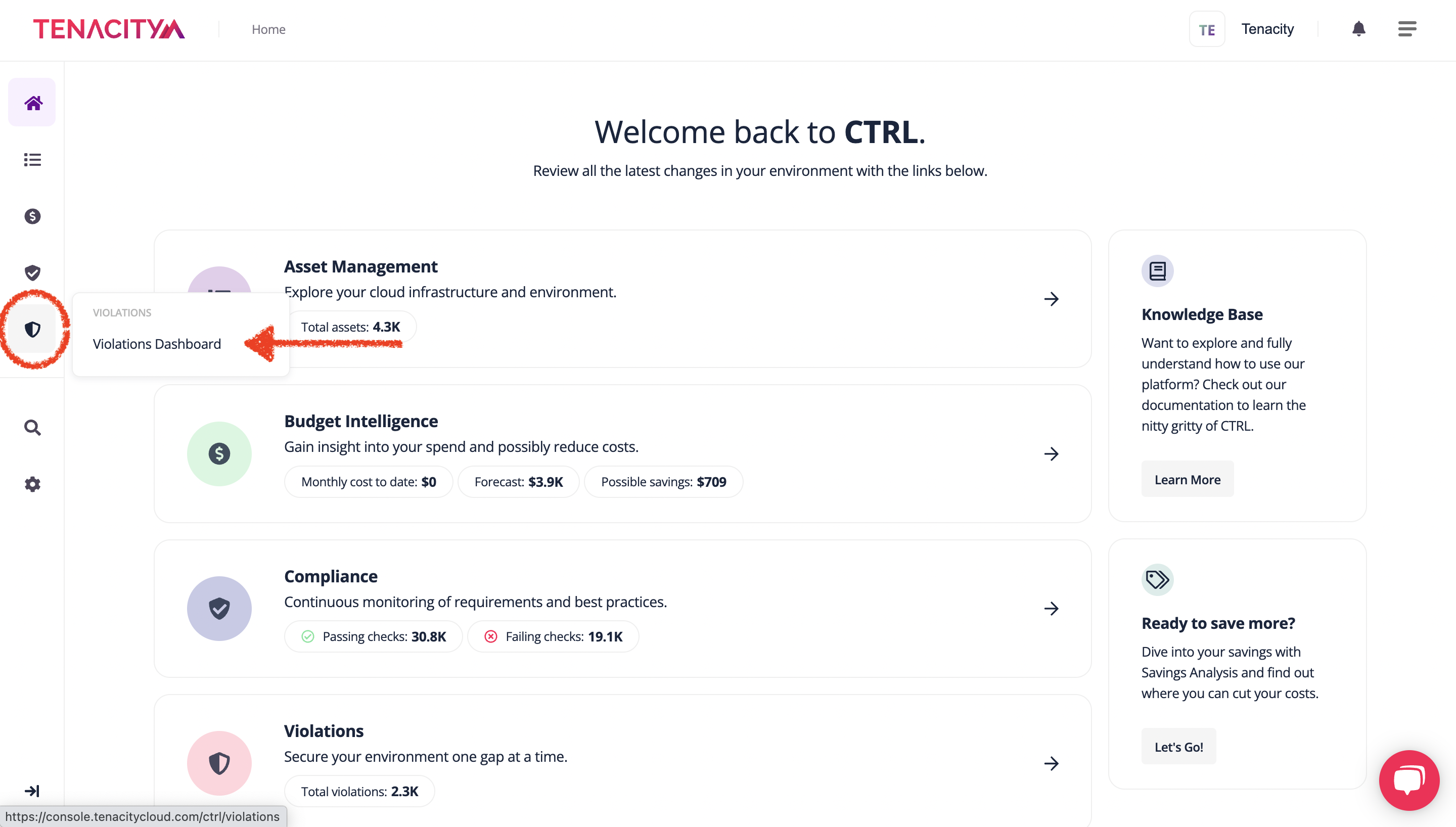
1. Navigate to Your Violations Dashboard
2. Check resource(s) needed for Jira ticket
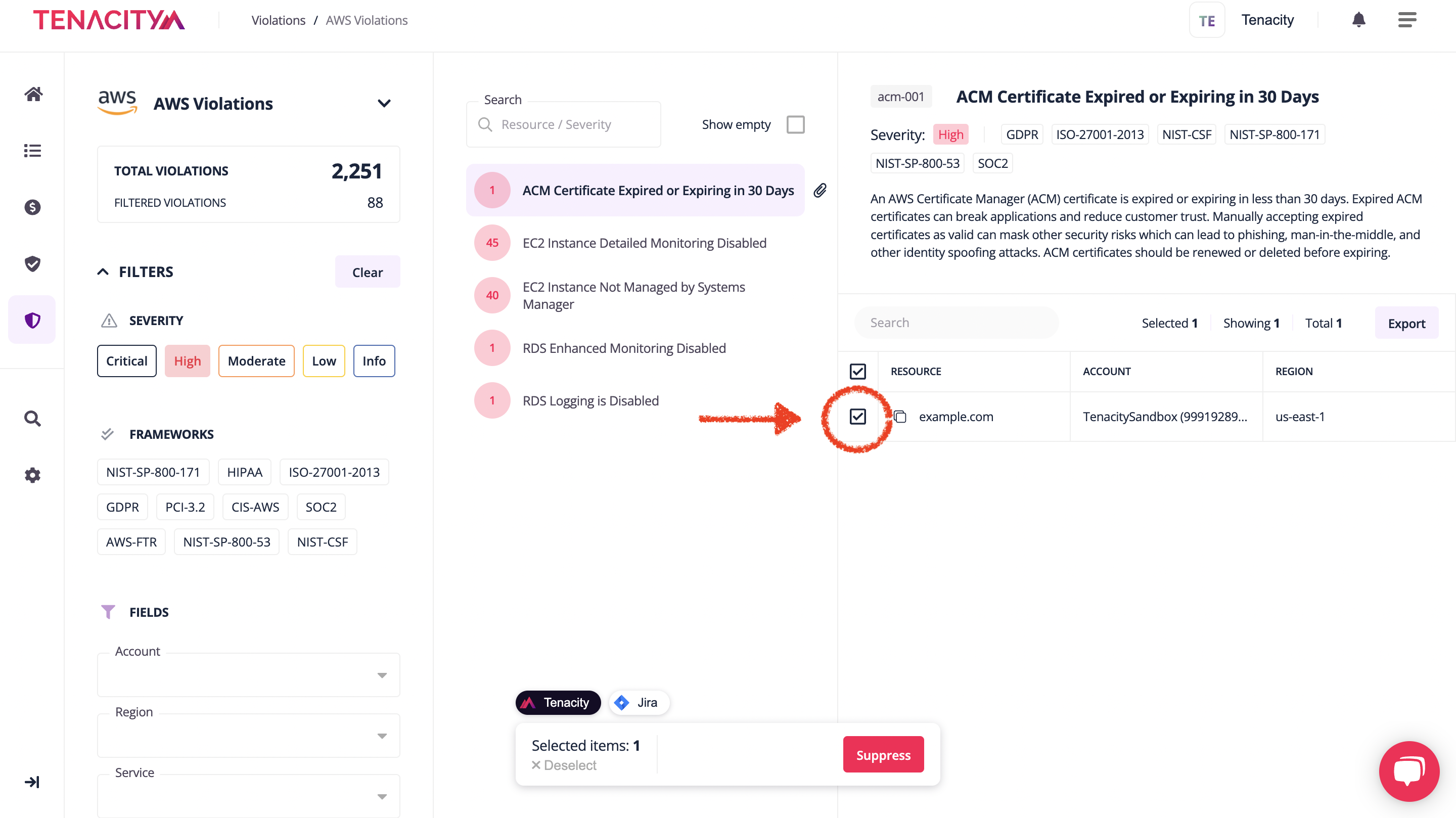
3. Select the Jira Button and click Add Ticket (Location: Bottom Middle Screen)

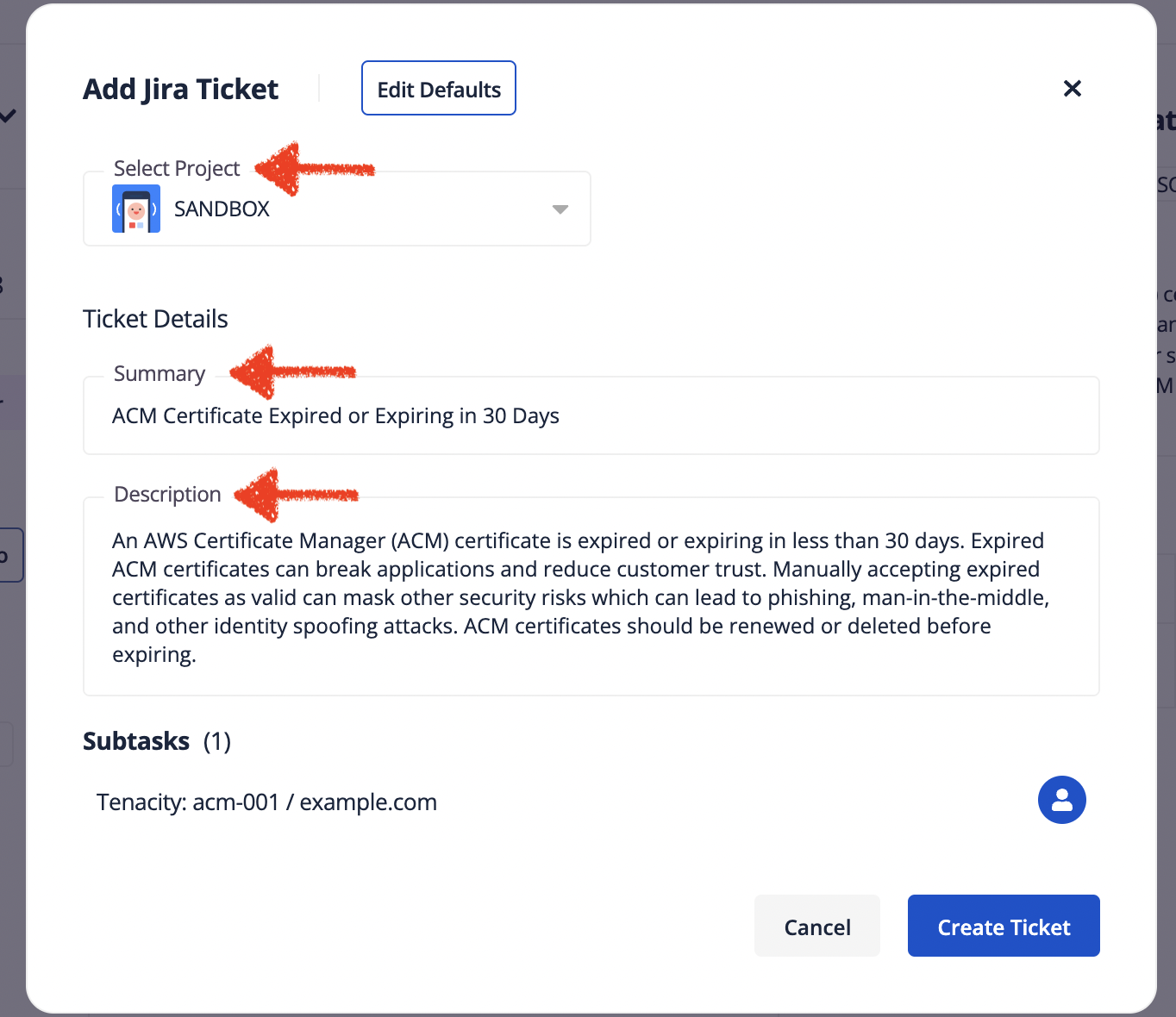
4. Edit Populated Project and Ticket Details if necessary
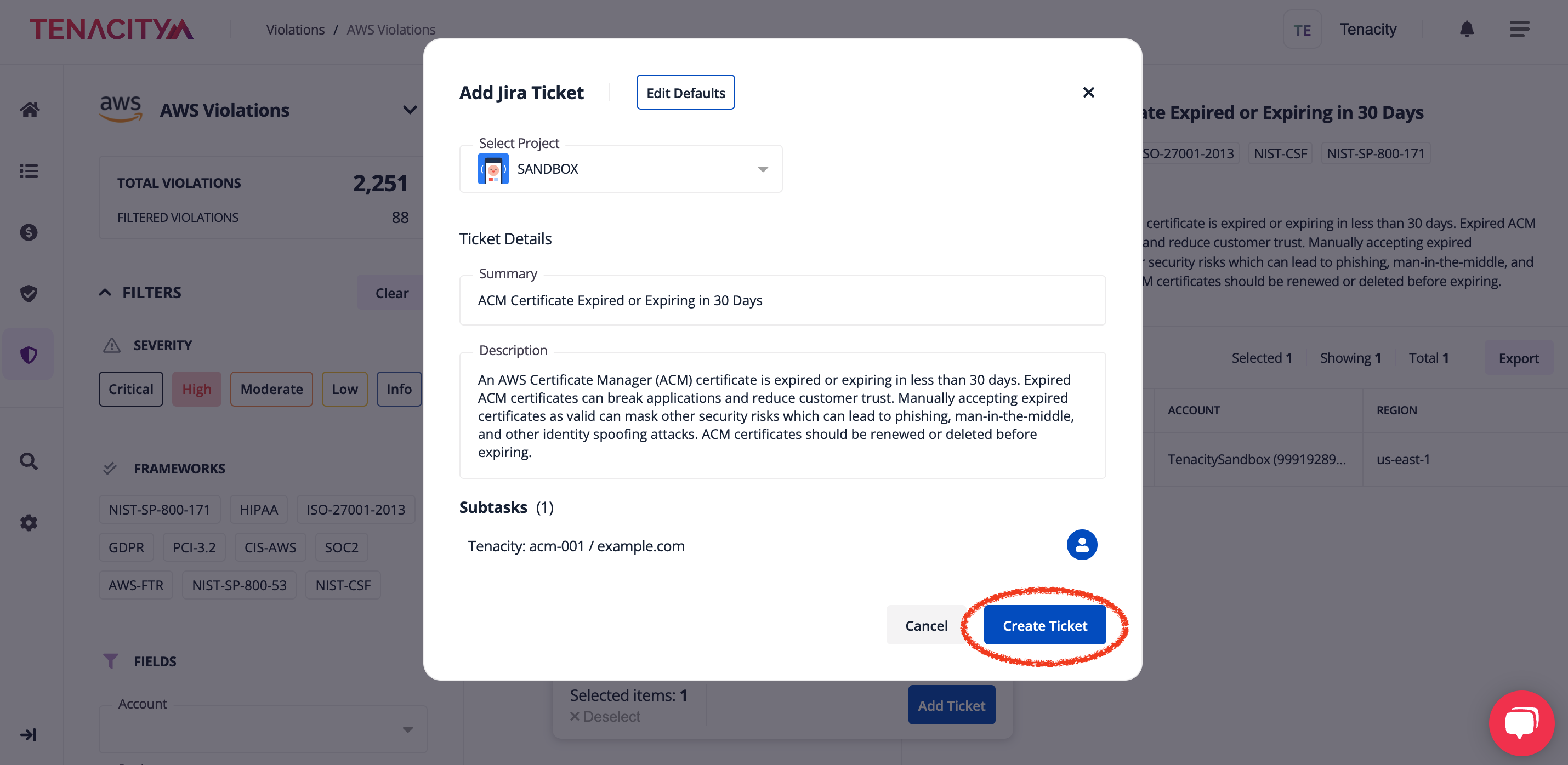
5. Click Create Ticket
If you need assistance with your Jira integration or would like to see a specific tool integrated within Tenacity to better improve your workflows, give us a shout at [email protected]
This Jira Integration Guide was produced by Tenacity Customer Success with 💜


